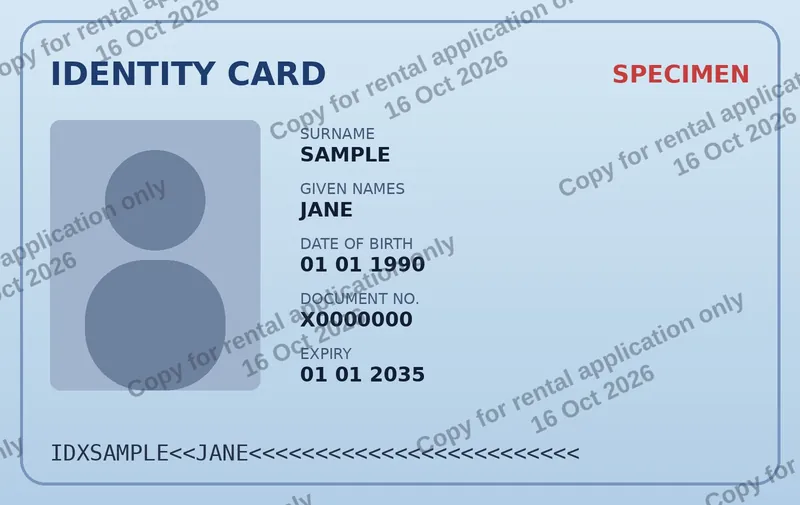
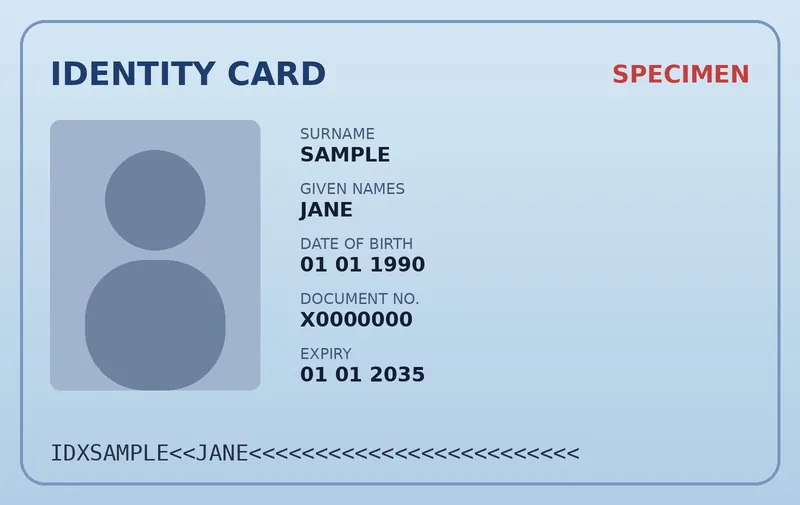
Sending a copy of your ID card, passport or driver’s licence to a landlord, agency or employer? Stamp it with who it’s for, why and when, so a leaked copy can’t be reused for identity fraud.
Your ID never leaves your device: it is processed in your browser, never uploaded and never stored.
Never uploaded
Photo or PDF scan
Date added automatically
Free
Drop images or PDFs here
JPG, PNG, WebP, HEIC, GIF, AVIF or PDF · multiple files allowed
🔒 Your files stay on your device — we never upload or store them.
Choose files
Live previewSample image — add your files to preview them
💡 Tip: click or drag on the preview to move the watermark.
🔒 Processed 100% in your browser. Files are never uploaded or stored.
Your watermarked files
🚫
Never uploadedYour images and PDFs are opened and processed by your own browser. They are not sent to our server or anyone else’s.
🗑️
Never storedWe don’t keep any copy of your files, logos or results — there is no upload endpoint and no file storage at all.
🧹
Gone when you close the tabFiles only live in your browser’s memory while you work. Close or reload the page and they are gone.
Don’t take our word for it: after loading your files you can even disconnect from the internet and the tool keeps working. How we handle your files
Copies of identity documents are routinely requested to rent a flat, sign up with an agency, book a hotel or start a new job — and they are often stored in email inboxes and shared folders for years. If one of those copies leaks, it can be used to open accounts or commit fraud in your name. A watermark that says who the copy is for, the purpose and the date makes it useless for anything else, and shows where a leak came from.
How to watermark your ID copy
Take a photo or scan of your document (JPG, PNG, HEIC or PDF) and drop it into the tool above.
Edit the text: e.g. “Copy for ABC Lettings – rental application only”. {date} inserts today’s date automatically.
Keep the tiled pattern so the text crosses the photo and the personal data — a single corner stamp can simply be cropped off.
Check the data stays readable in the preview (opacity 30–45% works well), then click Add watermark and send the watermarked copy.
Good practices
One copy per recipient: name the company and purpose every time.
Prefer a PDF or a lower-resolution image — enough to read, not enough to print a convincing fake.
Don’t use online tools that upload your ID. WatermarkOn works entirely in your browser; you can even switch off your internet after loading the page.
Check first: some official identity checks (banks, government portals, video-ID) require an unaltered document. Use watermarked copies for everyone else.
Frequently asked questions
Is it safe to watermark my passport online?
With WatermarkOn, yes: the document is processed by your own browser and is never uploaded or stored on any server.
What should the watermark on an ID copy say?
Who it is for, the purpose and the date — for example “Copy for XYZ Bank – account opening only – 16/10/2026”.
Is a watermarked ID copy still valid?
For most landlords, agencies and employers, yes, as long as the data is readable. Some official verifications require the original document; ask if in doubt.